Vocalm puts a small bar over your game that turns red the moment you get too loud, nudges you to breathe, and shows you when and where you get loudest, so you can actually get calmer.
The real bar in the top-right corner of a game: calm, getting close, too loud, then a breathe card.
Here's the bar, playing a scripted voice. Switch to your own microphone and talk, then shout. It all runs in this page: nothing is recorded or sent anywhere.
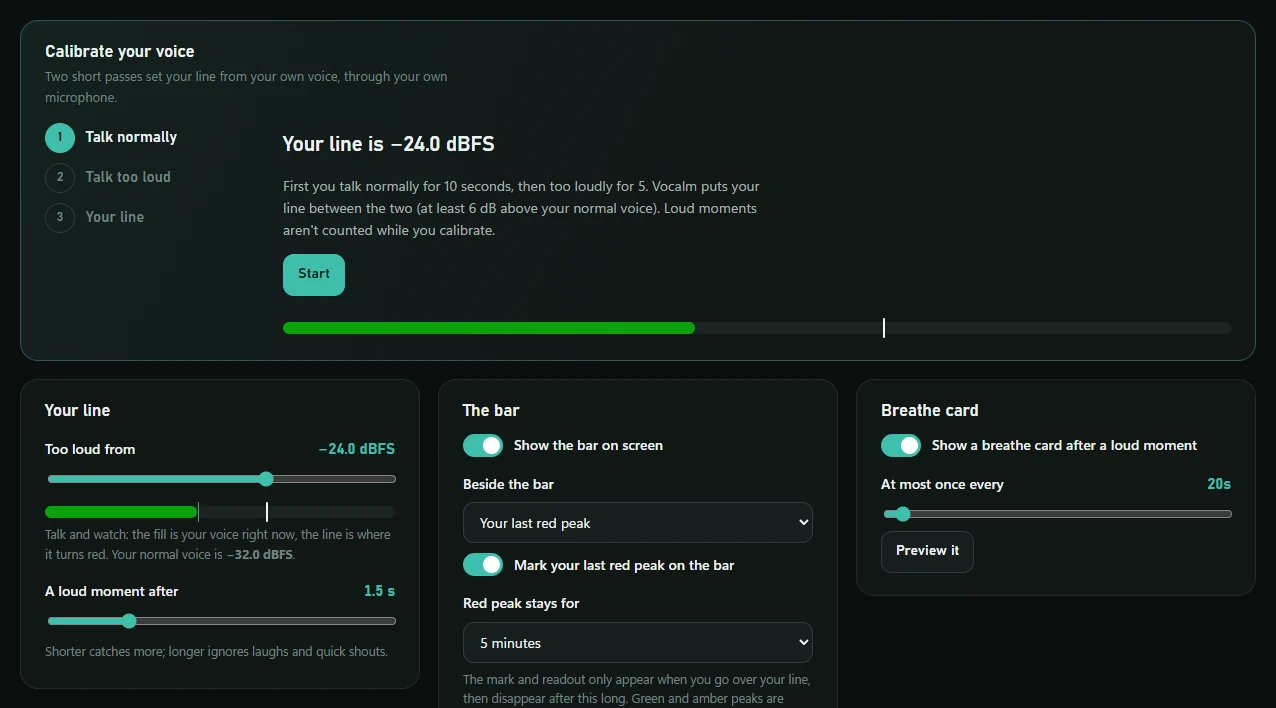
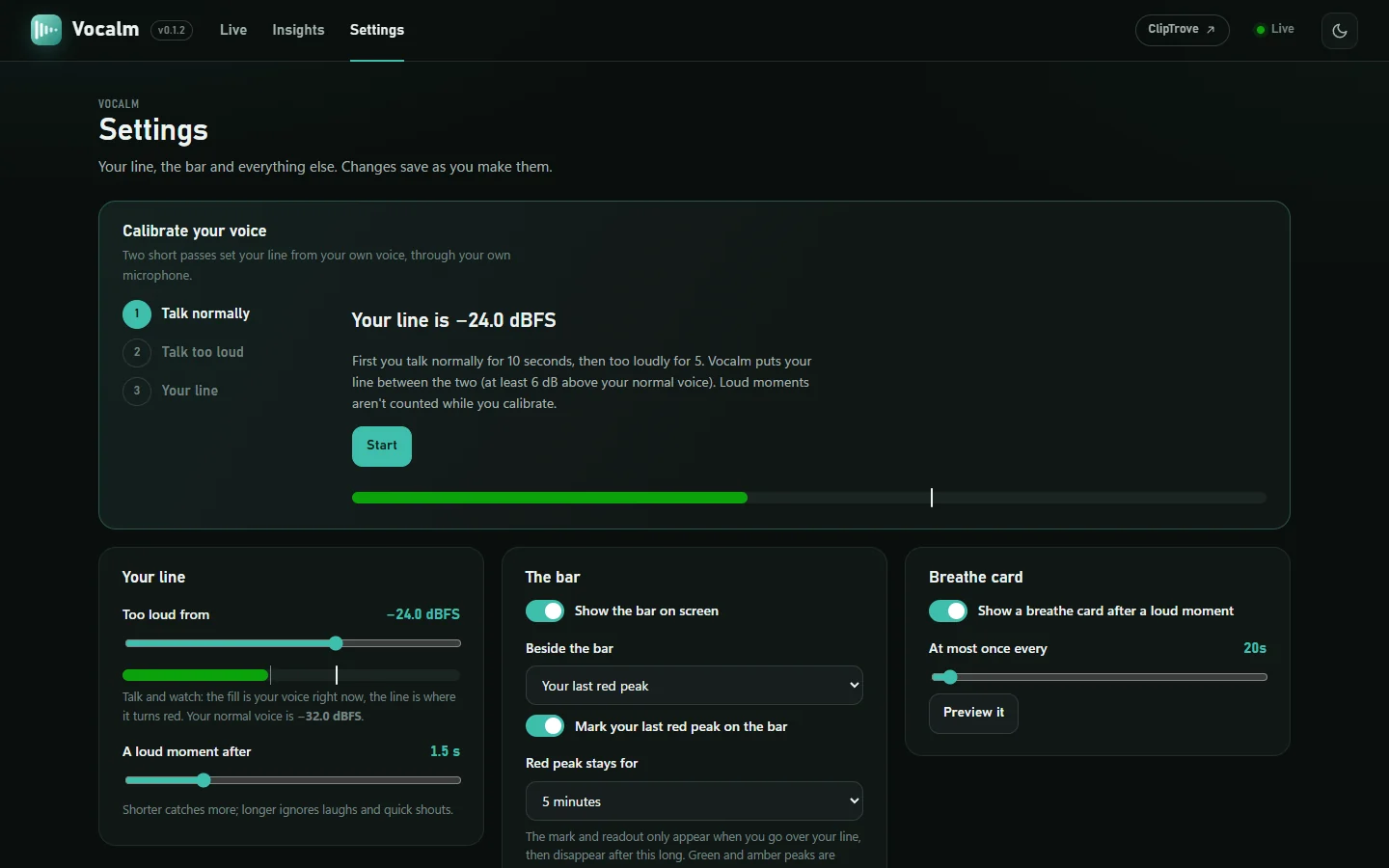
Talk normally first, then drag your line a little above where your voice sits. In Vocalm itself, a 15-second calibration does this for you.
Everything about the bar is designed for the middle of a match: you catch it in the corner of your eye, and it never takes anything from your game.
Clicks go straight through the bar, it can never take focus from your game, and it stays out of Alt-Tab. Put it anywhere, even on the taskbar.
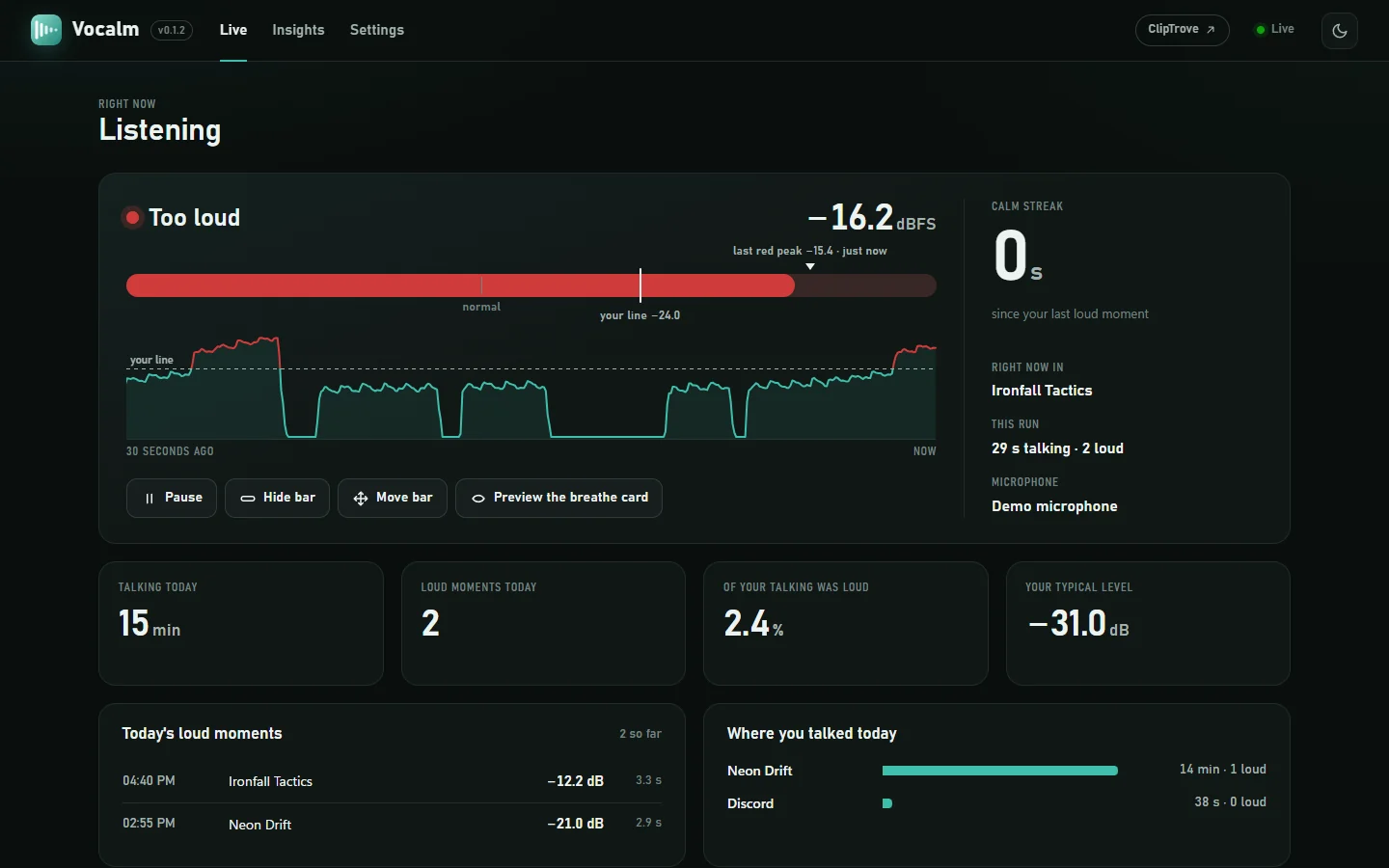
Green while you're calm, amber as you get close to your line, red and a little bigger the moment you're over it.
When you've gone over, a needle and a readout show how far, then clear away after a time you choose. Calm moments are never shown.
Stay loud for more than a moment and a small breathe card slides in for a few seconds. A laugh doesn't count. It never makes a sound.
Levels are A-weighted, like a dB(A) meter, so a high-pitched shout counts as loud as it sounds, not just as loud as its raw energy.
No audio is ever recorded or stored, just how loud you were and when. No account, no uploads. Everything stays on your PC.
Talking calmly or getting close, the bar just shows your level. Go over your line and it grows and turns red, a needle marks how far you went, and if you stay loud a breathe card slides in.
Talk normally for ten seconds, then too loudly for five. Vocalm puts your line between the two, through your own microphone, so "too loud" means too loud for you.

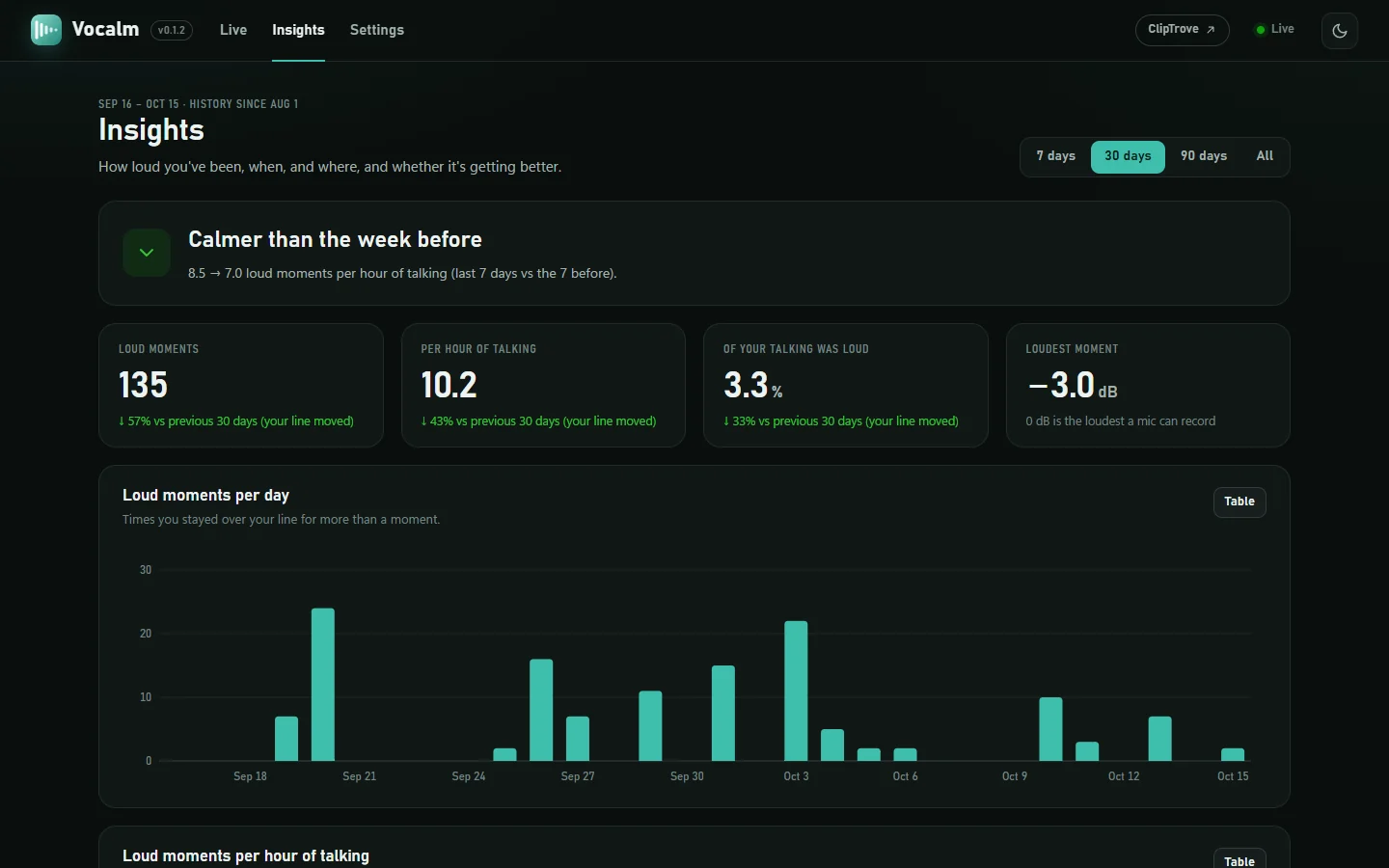
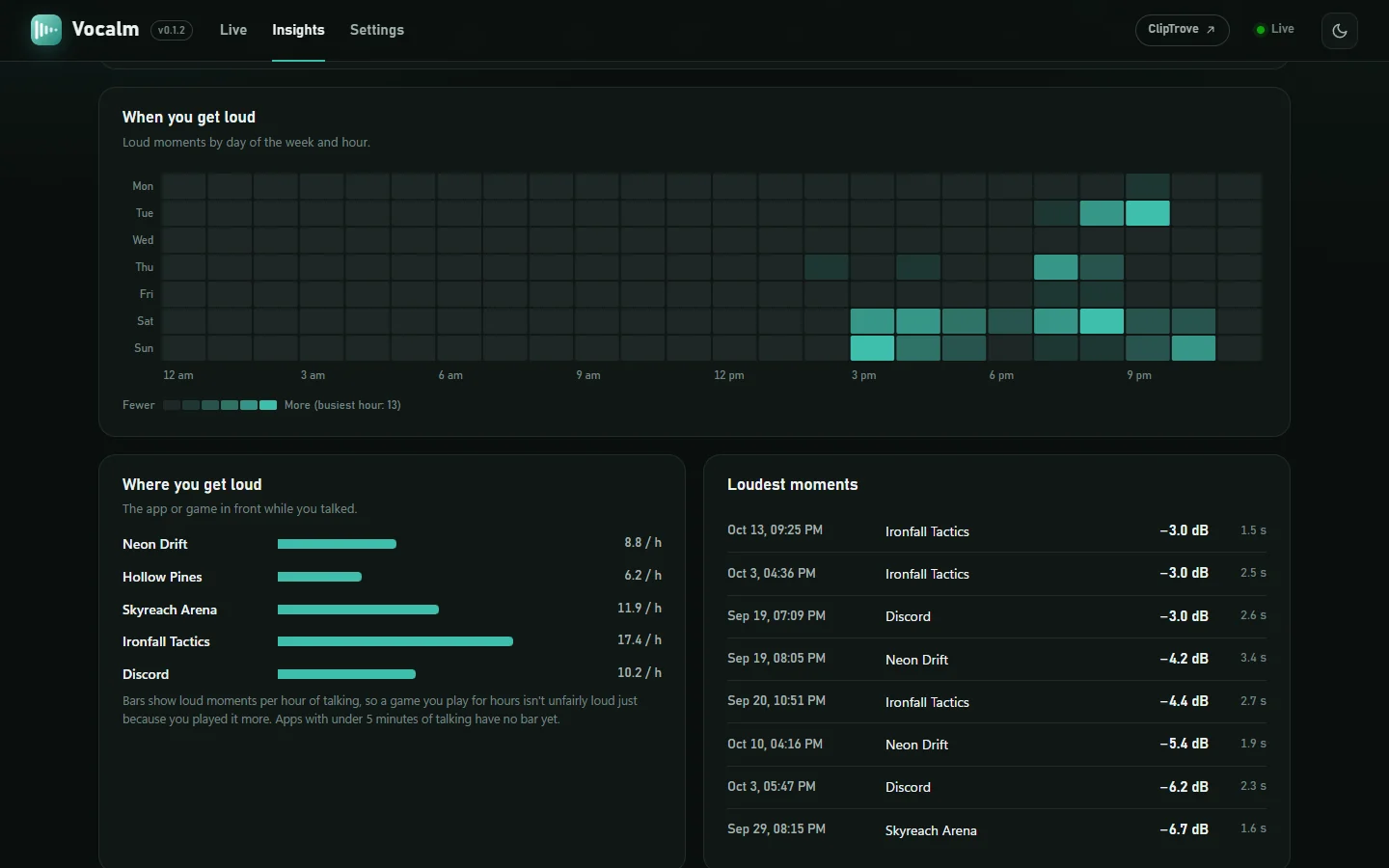
A dashboard on your own PC shows your voice live, today's loud moments, and the patterns behind them: this week against the last, the hours you get heated, and the games that set you off.


Get Vocalm-…-windows.zip from the latest release and unzip it anywhere you'll keep it.

Double-click Vocalm.exe. The bar appears, a tray icon sits by the clock, and the dashboard opens. If Windows says it protected your PC, choose More info, then Run anyway.
In Settings, calibrate your voice (15 seconds), turn on Start with Windows, and play. Games need to run in borderless or windowed mode for any overlay to show.
Sound becomes a level about 90 times a second and is thrown away straight after.
Settings and history live in one folder of yours. The dashboard only answers this PC.
It notes which game was in front by the program's name, never window titles.
No sign-up, no telemetry, nothing uploaded. Delete one folder and it's gone.
No overlay can draw over a game in exclusive fullscreen. Switch the game to borderless (or windowed) fullscreen in its video settings; it looks the same and the bar shows up.
No. Vocalm uses a fraction of a percent of your processor and only redraws the bar when your level changes. It never takes focus, so it can't interrupt you.
Whichever you choose in Settings. With SteelSeries Sonar it defaults to Sonar's microphone, which is exactly what Discord sends, so the bar shows what your friends hear. Discord and Vocalm can use the same microphone at the same time.
Never. It keeps how loud you were and when, plus the name of the app in front if you allow it. No audio, no words, no window titles.
Windows shows this for new apps that haven't paid for a code-signing certificate. Choose More info, then Run anyway; you only need to once. Only download Vocalm from its GitHub releases.
Smart App Control, on by default on some new Windows 11 PCs, blocks every app that isn't code-signed, and Vocalm.exe isn't yet. Run Vocalm from its source with Python instead: Python is signed, so it's allowed, and it's the same app with the same settings. The four steps are in the README. Turning Smart App Control off also works, but Windows can't turn it back on without resetting the PC.
Yes, for personal and other noncommercial use, under the PolyForm Noncommercial license. The code is on GitHub.